

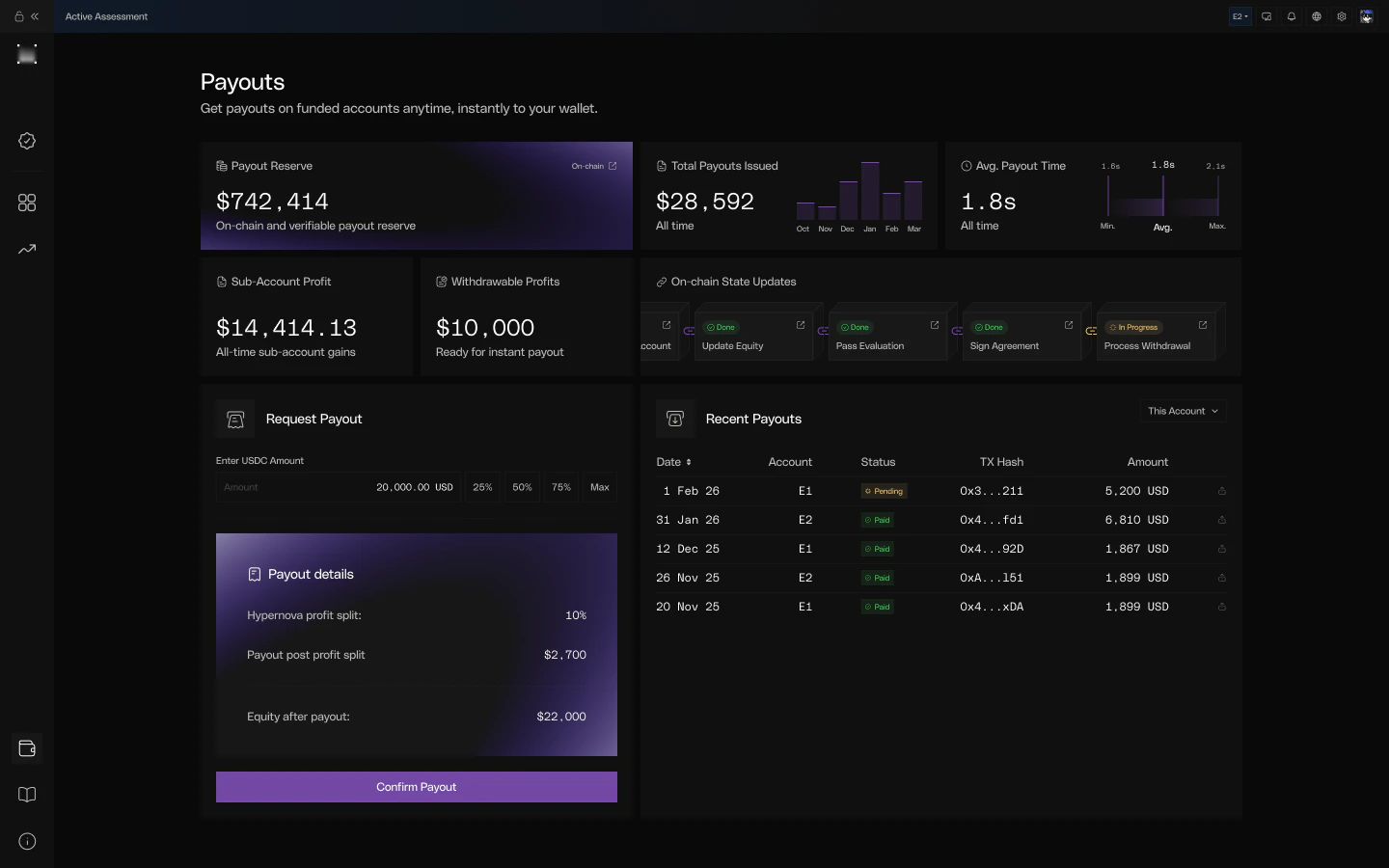
Payout reserve, confirmation flow, and recent withdrawal history.
How Payouts Work
Settlement is automatic. When you close your last open position on a funded account, your equity is settled on-chain and your account becomes payout-ready within seconds. Open the payout panel, enter an amount, sign once, and the funds land in your wallet.1
Go flat
Close all open positions. Your account equity is automatically settled
on-chain - no preparation step, no manual trigger.
2
Request Payout
On the Payouts page, enter the USDC amount you’d like to withdraw in the
Request Payout card, or use the quick-select buttons (25%, 50%, 75%,
Max). Then click Confirm Payout and review the summary. The amount you
enter is gross profit, and your wallet receives your share of it. At an 80%
split, a $1,000 payout pays you $800.
3
Sign once
Approve the payout with a single in-app signature. Hypernova covers all gas
- you never need ETH in your wallet.
4
USDC in your wallet
The smart contract releases your share to your embedded wallet on Arbitrum.
Fully verifiable on-chain.
Identity verification comes first. You need approved verification before
you can sign your funded-trader agreement or request a payout. Verify from
Settings → Payouts.
Why It Feels Instant
Most prop firms make you wait. Traditional firms take 24+ hours to clear a withdrawal, while Hypernova averages ~5 seconds end-to-end - from request to settled in your wallet.Payout Reserve
The Hypernova payout reserve is fully transparent. It sits in public on-chain addresses you can inspect at any time - see Active Addresses.Profit Share
Multiple payouts in a single day are fine. After a payout completes, open and
close at least one position to retrigger settlement, then submit another
payout.
When a payout can be held: You need approved identity verification before
you can request a payout. Payouts are also unavailable for a short time after
your first assessment purchase, and while your account is suspended or under a
compliance or risk review. Hypernova may also pause payouts temporarily,
including for security, network or compliance reasons. See
Terms of Use.
Drawdown Protection
The day you take a payout, your daily drawdown limit is preserved - the payout amount is added to your daily loss budget so withdrawing profits doesn’t eat into your trading allowance.Max drawdown stays put
Your max drawdown floor is set when your funded account is created and never
moves up. Take a payout, and the floor stays exactly where it was.
Daily limit absorbs the payout
A $5,000 payout on a $3,000 daily loss limit doesn’t trigger a breach. Only
actual trading losses count toward your daily DD.
Withdrawing from Your Wallet
After receiving a payout to your embedded wallet, you can withdraw USDC to any external wallet or exchange that supports Arbitrum. Open your wallet from your profile picture and choose Withdraw. You can’t withdraw to your own Hypernova address. Gas is sponsored, but your exchange may charge its own fees.To an Exchange
Send USDC from your Hypernova wallet to your exchange deposit address on
Arbitrum
To a DeFi Wallet
Send USDC to any external wallet (MetaMask, Rabby, etc.) on Arbitrum
Payout History & Share Cards
All previous payouts are listed in your dashboard with amount, account, transaction hash, and date. Generate a shareable payout card with a verifiable on-chain QR code to showcase your results.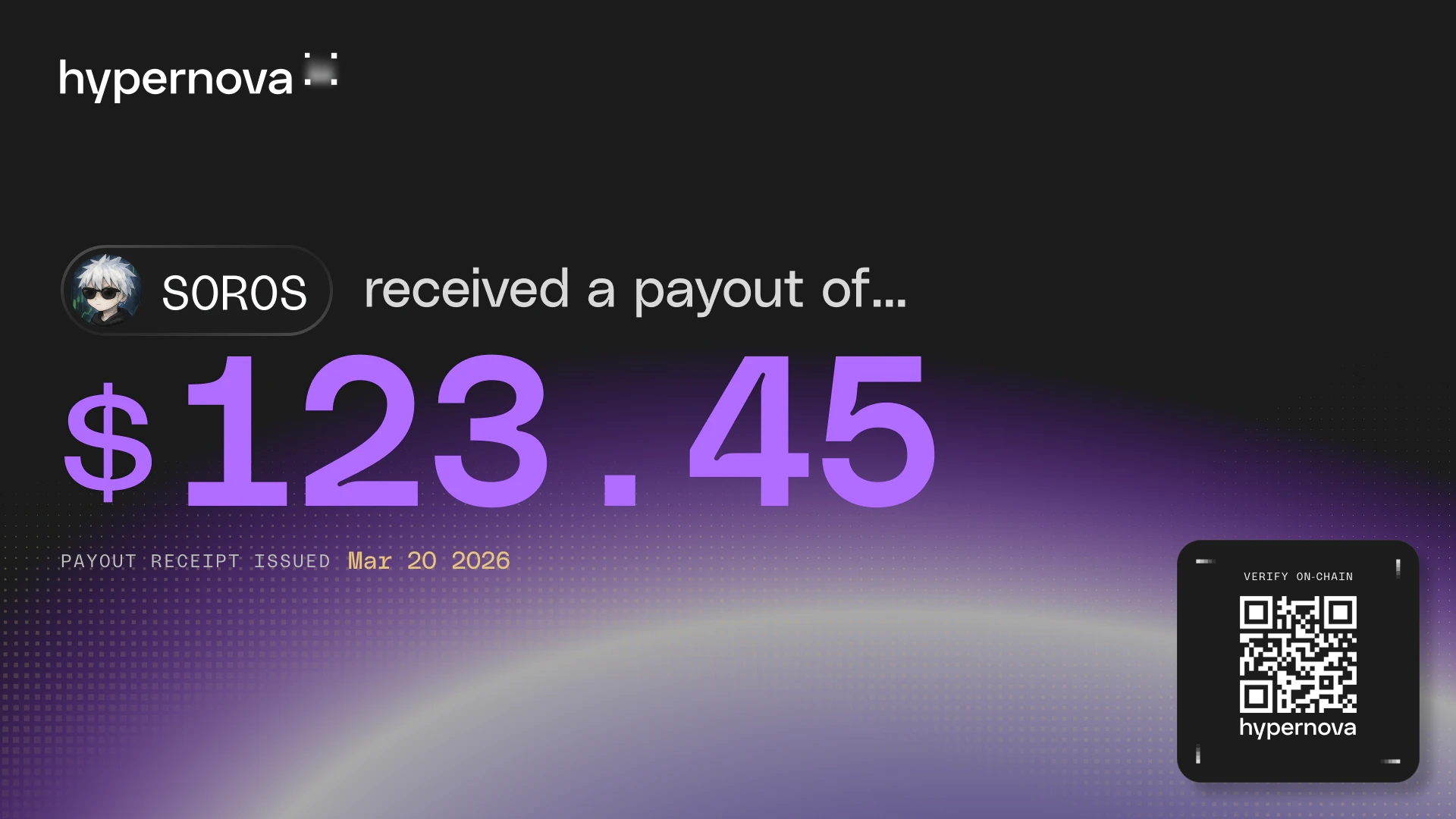
For details on the on-chain architecture - how accounts, rules, and payouts
are recorded - see Smart Contract.